If you told me a couple of years ago that I would willingly cancel my Articulate 360 subscription, I would have laughed. Like almost every instructional designer, Storyline and Rise were my bread and butter. If you wanted to build anything interactive, rigid timelines, slide-based structures, and endless trigger setups were just the tax you paid to get the job done.
But things have completely changed. While Articulate has been busy spending its time adding AI features to fix text, generate images, or help you manage variables inside their legacy software, a massive paradigm shift happened right under their nose.
It's called Vibe Coding.
Instead of spending weeks fighting with timeline syncing or getting locked into rigid SCORM packages that look terrible on a smartphone, instructional designers are realizing they don't need a middleman anymore. With modern AI tools and natural language prompts, we can build actual, production-ready interactive training applications from scratch in a matter of minutes.
Bypassing the Software, Building the Product
Vibe coding means you describe what you want in plain English - a branching customer service simulator, a dynamic compliance tracker, a gamified quiz - and the AI handles the code. You aren't just building a "course" inside someone else's box. You are building custom software tailored exactly to your learners' needs.
For a long time, the argument for keeping Articulate was Rise. It was fast, clean, and let you spin up decent-looking web-style content without needing to know a line of HTML or CSS. But it also confined you to their specific blocks, their specific layouts, and their expensive annual fee.
So, I decided to test the limits of vibe coding.
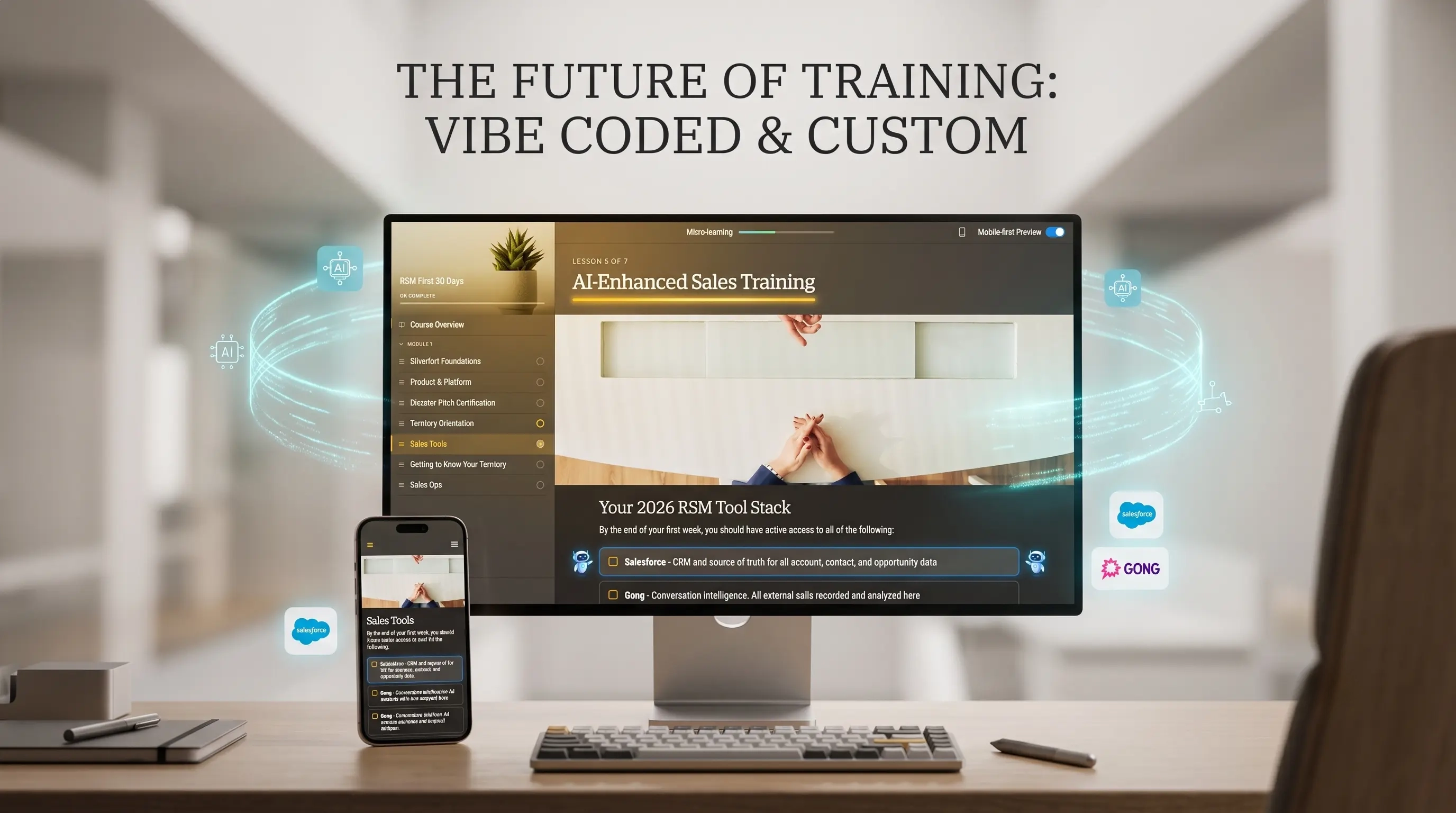
I sat down with a prompting tool and built my own alternative to Articulate Rise.
Because I was building it myself through pure prompting, I didn't just clone what Rise does - I added extra features that fit my exact workflow and training needs. Things I had wished Rise could do for years, I simply prompted into existence.
The result? It's a faster, leaner, and frankly better product for my workflow than Articulate Rise itself.
This is how it looks:
A block-style editor that includes all the block types Articulate Rise has, plus some extra blocks that I needed and never had in Rise:
- Signature - The user has to sign to continue (to approve that he read the sensitive content)
- UI Tutorial - A combination of step-by-step pictures and hotspots that displays a full UI interactive tutorial within the lesson
- Diagram block - The designer can create and modify colorful diagrams within the app
and many more...
The Big Switch
Once I realized that my self-made vibe-coded apps could create more engaging, highly responsive, and truly flexible interactive training materials with zero layout restrictions, the choice was obvious.
I cancelled my Articulate 360 subscription.
I replaced a $1,399-a-year seat with a few custom apps that cost me almost nothing to run and give me complete creative freedom.
We are entering an era where instructional designers don't just fill in templates anymore. We are software builders. If you are still grinding away inside Storyline timelines, it's time to put down the legacy tools, open up a prompt, and start vibe coding your own learning experiences.